Thursday, 23 April 2020

WhatsApp Group - How To Create & Restrict Others Invites ?

WhatsApp Group : WhatsApp is one of the best messaging app. There may be multiple apps like Hike, Telegram etc but most of the people attached to this application.

There are multiple reasons why people use this app but mostly because it is user friendly, simple and can be used in multiple kind of file sharing and also audio and video calls.


Today we are going to share few tricks about WhatsApp Group. Yes! many of us know that we can create a group in WhatsApp and add our friends to that particular group. But, how many of us know that we can restrict on who all can invite us for their groups. Yes! most of us don't want to get into the groups of the people whom we don't like. So there is an option where we can restrict those contacts.


Along with that we can also add people by sending the invite link. How many of us know that how to create WhatsApp Group invite link? So, to all those people we are going to share those details along with the screeshots. I'd suggest you people please go through the complete article to know the WhatsApp Group feature in detail.


WhatsApp Group - How To Create & Restrict Others Invites ?

WhatsApp Group

Before we start with the featurses, the first question many of us have that how many contacts can be added to the WhatsApp Group ? Earlier it was 100 but now it was increased to 256. So you can add a very good number of contacts to your groups and we think it is more that enough for any school, college friend groups.

WhatsApp Group

So, let us start with WhatsApp Group creation and then followed with on how to restrict someone adding to their groups. If you people already aware of WhatsApp Group creation please jump to WhatsApp Group Restrict section.

How To Create WhatsApp Group And Send Whats App Group Link:

Please follow the steps in the below on how to create a Whatsapp Group along with that we also shared information about How To create whatsApp Group invite link ?

  1. Firstly we need to open the app and one you are in the Chats Tab, tap on the top right three dots you'll be able to see a couple of options in that first option is new group tap on that and you'll be able to see your contacts and select the contact you want to add to your group and hit the arrow "->" at the bottom to continue.
    WhatsApp Settings
  2. Once you select the contact you need to give the Group name and hit the tick.
    WhatsApp navigation
  3. Once you hit the tick you'll be able  to see the Group created successfully with the Group name on the top with the participants on top.
    WhatsApp group chat
  4. Once you tap on the Group name on top you can see the option that are available linked with the Group. You can see two options one if like Add participants and the other is Invite Via Link.
    Group Edit
  5. Once you tap in Invite Via Link you can see multiple options that will help you to share the link either via WhatsApp or copy the link and share it via other messaging apps or else you have an option to share via the apps which were pre installed in your mobile.
    WhatsApp Group Invite
Hope the above images helped you on how to create WhatsApp Group and also on How to create a Group Invite link and how to send it.

WhatsApp Group Restrict - How To Restrict Someone To Add Me In Their WhatsApp Groups


  1. Open the WhatsApp application and tap on chats tab and then tap on three dots on top right and tap on Settings options.
    Settings
  2. Once you tap on the settings you'll be able to see multiple options in that tap on the first option Account
    WhatsApp Account Settings
  3. Once you tap on the account you'll be able to see the option Privacy tap on that
    WhatsApp Privacy Settings
  4. Once you tap on that Privacy you'll be able to see a multiple option in that list once you scroll down you can see Groups tap on that
    WhatsApp Group Navigation
  5. Once you tap on that Groups you'll be able to see 3 different option who can add you in their Groups. Every One, My Contacts , My Contacts Except
    WhatsApp Group Settings Navigation
If we select everyone who ever has your number can add to their groups, My Contacts means all the contacts which were saved in your Whatsapp contacts can add to their groups. My Contacts Except is the option where you can specifically select the people from whom you don't want to get added to their Whatsapp groups until you accept it.


Hope the above shared information helped on how to create Whatsapp group and also about how to create Whatsapp group invite link. You may also get to know now on how to restrict someone in adding to their groups

Stay connected to this blog for more latest update on the Apps, Gadget releases, Tech tricks and also technology related news.

Wednesday, 22 April 2020

WhatsApp Group Call Limit - Increased To More Than 4

WhatsApp Group Call : WhatsApp which is a well known messaging app and you can see this application in everyone's smartphone. Now a days we came to know that WhatsApp is updating few of its existing feature in which WhatsApp Group Call is one.

Yes! earlier WhatsApp gave limit upto 4 people to join the audio or video conference, but from the sources we came to know that the number is getting higher on group call for WhatsApp.


Please go through the complete article to know more details about the Whatsapp Group video call limit along with that we also share the steps on how to do a Group video call if you are new to this feature.

WhatsApp Group Call Limit - Increased To More Than 4

WhatsApp Group Call

Google Duo and Zoom should aware of this feature which WhatsApp is going to roll out. As mention, one of the best messaging app is going to increase its Whatsapp Group call limit from 4 to 8 people.

Yes, from the sources we came to know that WhatsApp already released the update. However, to use this feature all the participants should have latest versions of WhatsApp.


Whatsapp group call limit 2020 update will help many of us. Due to this social distancing most of the people are connecting to their families and friends online. Currently, we do have multiple apps that support video calling like Zoom, Google Duo, Hangouts, Skype.

But many of us are very familiar with WhatsApp. From the sources we came to know the Whatsapp conference call  maximum limit will be 8 participants and they can easily join just like earlier there will be no changes in the navigation or in the options.

How To Do A WhatsApp Group Call ?

To do a WhatsApp Group Call you no need to install anything. Please follow the below steps to do a WhatsApp Group Call

You just need to open the chat of the person to who you want to do an Audio or Video call just tap on the Video Icon or Receiver icon on top right and call will be initiated.

Once the call initiated which is a one-on-one voice or video call then you can see an option of Add participant just tap the new "add participant" button in the top right corner tthat way you'll be able to add more contacts to the call. As mention you can add upto 8 contacts to the audio or video conference.


Hope the above shared information helped you to know about the WhatsApp Group Call Limit. Stay connected to this blog for more latest updates on the app updates, Gadget releases, tech tricks and technology related news

Tuesday, 21 April 2020

Top 5 Smartphones under INR 15000 in India

Top 5 Smartphones: In the 21st Century, Smartphone becomes an essential device for the day to day life of every human being. But now, having a smartphone is not just enough but having an updated smartphone with the latest features is more important. Smartphone users interests switching from one Cell phone to others based on the updated features and specifications. In 2020, there are 3.5 billion smartphone users around the world. 

Along with the updated features and Specifications, smartphone users considering Budget as one of the important factors. Therefore, the best smartphones under INR 15000 in India has become the most important classification by the brands Like Samsung, Xiaomi, Realme, Motorola, Oppo. These brands have introduced The phones with the best features and specifications which are available to the customers at affordable prices. Features Like Face Unlock, Fingerprint sensor,  Quadcamera or 48 MP Camera, fast charging, etc are now available to the customers under rupees 15000 in the Indian SmartPhones market.

Top 5 Smartphones under INR 15000 in India


In this article, we are providing you with the List of Top 5 smartphones under rupees 15000 in India with updated features and specification

Samsung Galaxy M31

Samsung Galaxy M31 Comes with the processor Exynos 9611 Octa-core and with Mali G72 GPU. The 6.4-inch Samsung Galaxy M31 has a 64 GB Storage with a battery capacity of 6000mAh. There is no official IP waterproof rating for the Samsung Galaxy M31 and also doesn't support 5g. The Galaxy M31 comes with a 6.4-inch full HD+ Infinity U AMOLED display with Corning Gorilla Glass 3 Protection.


Key Specifications:

  • Display
    • Super AMOLED capacitive touchscreen, 16M colors
    • 6.40-inch (1080x2340)
    • Corning Gorilla Glass 3 Protection
  • Processor
    • Samsung Exynos 9611
    • Octa-core (4x2.3 GHz Cortex-A73 & 4x1.7 GHz Cortex-A53)
  • Camera
    • Front Camera: 32 MP, f/2.0, 26mm (wide), 1/2.8", 0.8µm - HDR
    • Rear Camera: Triple - 64MP + 8MP + 5MP + 5MP
  • Battery
    • Non-removable Li-Po 6000 mAh battery
    • Fast charging 15W
  • Storage
    • Internal: 64GB 6GB RAM, 128GB 6GB RAM
    • Card Slot: microSDXC (dedicated slot)
  • SIM
    • Dual SIM (Nano-SIM, dual stand-by)
Therefore Samsung Galaxy M31 is one of the Top 5 Smartphones under 15000 in India

Redmi Note 8 Pro

Redmi Note 8 Pro is powered by an octa-core MediaTek Helio G90T processor. The phone comes with 6GB RAM and runs Android 9 Pie. Redmi Note 8 Pro doesn't support 5G. Redmi Note 8 Pro is officially an IP52 water-resistant. The Redmi Note 8 Pro comes with a 6.53-inch Full HD+ IPS display and protected by Corning Gorilla Glass 5.


Key Specifications:

  • Display
    • IPS LCD capacitive touchscreen, 16M colors
    • 6.53 inches
    • Corning Gorilla Glass 5 Protection
  • Processor
    • octa-core MediaTek Helio G90T
  • Camera
    • Front Camera: 20 MP, f/2.0
    • Rear Camera: 64 MP (f/1.79) + 8 MP  (f/2.2) + 2 MP  + 2 MP
  • Battery
    • Non-removable Li-Po battery with 4,500mAh capacity
    • Fast charging 18W
  • Storage
    • Internal: 64GB 6GB RAM
    • Card Slot: microSD Card (dedicated slot)
  • SIM
    • Dual SIM (Nano - GSM SIM + Nano - GSM SIM)
Therefore Redmi Note 8 Pro is one of the Top 5 Smartphones under 15000 in India

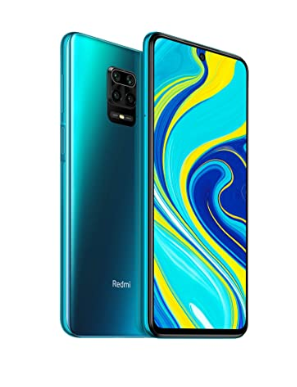
Redmi Note 9 Pro

Redmi Note 9 Pro comes with  Octa-core (2.3 GHz, Dual-core, Kryo 465 + 1.8 GHz, Hexa Core, Kryo 465) processor and runs  Android v10 (Q) operating system. Redmi Note 9 Pro does not support 5G networks. Redmi Note 8 Pro doesn't support 5G. Redmi Note 9 Pro not officially water-resistant.


Key Specifications:
  • Display
    • IPS LCD capacitive touchscreen, 16M colors
    • 6.67 inches
    • Corning Gorilla Glass 5 Protection
  • Processor
    • Octa-core (2.3 GHz, Dual-core, Kryo 465 + 1.8 GHz, Hexa Core, Kryo 465)
  • Camera
    • Front Camera: 16 MP, f/2.5
    • Rear Camera: 48 MP (f/1.79) + 8 MP  (f/2.2) + 5 MP  + 2 MP
  • Battery
    • Non-removable Li-Po battery with 5020 mAh capacity
    • Fast charging 18W
  • Storage
    • Internal: 64GB 4GB RAM, 128GB 6GB RAM
    • Card Slot: microSDXC Card (dedicated slot)
  • SIM
    • Dual SIM (Nano-SIM, dual stand-by)
Therefore Redmi Note 9 Pro is one of the Top 5 Smartphones under 15000 in India

Realme 5 Pro

Realme 5 Pro is currently the least expensive Snapdragon 712 phone in the Country. For Gaming persons, it would be the most favorite choice. It is duly designed than Realme 5. Realme 5 Pro does not support 5G as it is a very new technology and also costly.  Realme 5 Pro is a waterproof phone and having Four cameras on the back. The Realme 5 Pro comes with a 6.3-inch IPS LCD with Full HD+ resolution and Corning Gorilla Glass 5 protection.


Key Specifications:
  • Display
    • IPS LCD capacitive touchscreen, 16M colors
    • 6.3 inches
    • Corning Gorilla Glass 3+ Protection
  • Processor
    • 2.3GHz octa-core Qualcomm Snapdragon 712
  • Camera
    • Front Camera: 16 MP, f/2.0
    • Rear Camera: 48 MP (f/1.8) + 8 MP  (f/2.2) + 5 MP  + 2 MP
  • Battery
    • Non-removable Li-Po battery with 4035 mAh capacity
    • Fast charging 20W
  • Storage
    • Internal: 64GB 4GB RAM, 64GB 6GB RAM, 128GB 4GB RAM, 128GB 8GB RAM
    • Card Slot: microSDXC Card (dedicated slot)
  • SIM
    • Dual SIM (Nano-SIM, dual stand-by)


Therefore Realme 5 Pro is one of the Top 5 Smartphones under 15000 in India

Motorola One Vision

The key features Motorola One Vision are just awesome and it is an android one device. One of the key features of the Motorola One Vision is a stunning 21:9 CinemaVision Display along with an in-screen camera. The Motorola One Vision has a water-repellent design and protects against moderate exposure to accidental spills, splashes or light rain. The Motorola One Vision has a 6.3-inch full-HD+  IPS display with Corning Gorilla Glass 3 protection.


Key Specifications:
  • Display
    • LTPS IPS LCD capacitive touchscreen, 16M colors
    • 6.3 inches
    • Corning Gorilla Glass Protection
  • Processor
    • Exynos 9609 Processor
    • 2.2GHz octa-core
  • Camera
    • Front Camera: 25 MP, f/2.0
    • Rear Camera: 48 MP (f/1.7) + 5 MP  (f/2.2)
  • Battery
    • Non-removable Li-Po battery with 3500 mAh capacity
    • Fast charging 15W
  • Storage
    • Internal: 128GB 4GB RAM
    • Card Slot: microSDXC (uses shared SIM slot)
  • SIM
    • Single SIM (Nano-SIM) or Hybrid Dual SIM (Nano-SIM, dual stand-by)

Therefore Motorola One Vision is one of the Top 5 Smartphones under 15000 in India


Hope the above shared information related to the Top 5 Smartphones helped you to know about them along with their specifications, price. Please stay connected to this blog for more latest updates on the Gadgets, apps, Tech tricks, and technology related news.


Fortnite Battle Royale - Best Online Video Game

Fortnite Battle Royale: Most of the people may already aware of this Fortnite Battle Royale. However, we are going to share information on how to download Fortnite Battle Royale? Is this game free or not ? On which device we can play this game? Who created fortnite battle royale ?


All these questions were clearly answered in the following article. I'd suggest the users to go through the complete article to know in details about his best online game Fortnite Battle Royale.

Fortnite Battle Royale - Best Online Video Game

Fortnite Battle Royale


Fortnite Battle Royale

Fortnite is the Online video game created by Epic Games and it was released in 2017. Fortnite has three modes of Gameplay.
  • Fortnite- Save the world
  • Fortnite Battle Royale
  • Fortnite Creative
Fortnite- Save the world is shoot and survive game. Upto 4 people can play together and they need to fight against zoombie like creatures.

Fortnite Battle Royale is a free to play game, where 100 of people fight with each other and the person who survives till the end will be the winner


Fortnite Creative are simple where players can create worlds and battler grounds

The first two game modes were released in 2017 where as the third mode was released on on 6th December 2018.

Fortnite Battle Royale can be played on Windows, MacOS, Android, Xbox, iOS, Playstation.


Fortnite Battle Royale Download :

Fortnite Battle Royale is currently free to download on PC, PS4, Xbox One, Nintendo Switch, iOS and Android.

Please use the link to download the Fortnite Battle Royale : DOWNLOAD

Once you click on the link you need to select the platform on which you want to download the game.

Is Fortnite Dying ? Fortnite Shutting Down 2020?

Many of may have questions that is Fortnite Dying. No, it is not dying. February 5th, 2020 Fortnite shutdown for one hour in order to make new updates and for the maintenance. 


Developer of the fortnite said that Fortnite Battle Royale will remain free forever. As mentioned earlier you can simply download the game from the website.

Fortnite Installer Download:

Fortnite installer is the APK file that will help you in installing the original game. You can simply visit the official website fortnite.com/android in your mobile browser from where you can download the application or else you have an option to scan the QR code.

Fortnite Battle Royale Download In Mobile : DOWNLOAD

Use the above link that will redirect to the page from where you can download the game. Once you download you'll be promted with security permissions that need to be given access in order to move further.

Note: Fortnite Battle Royale won't be available in the PlayStore. You need to download it from the Epic Games offical website itself. For samsung phones it is exclusive however for other android device please use the link which was give above.


Fortnite Battle Royale Game PC Requirements :

The creator of Fortnite Battle Royale Epic Games shared the list of recommended and minimum PC requirements in order to play the game with out any issues. List as follows:

Recommended System Requirements:
  • Nvidia GTX 660 or AMD Radeon HD 7870 equivalent DX11 GPU
  • 2 GByte VRAM
  • Core i5 2.8 Ghz
  • 8 GB RAM
  • Windows 7/8/10 64-bit

Fortnite Battle Royale is wont support Xbox 360 or PS3 as these consoles don't support Unreal Engine 4.

Fortnite Battle Royale V11.50 Update


Epic Team released an update for Fortnite Battle Royale which v11.50 . Here is the list of changes in this update :
  • Play the new, community-made Search and Destroy LTM.
  • New challenges were included and once they are completed special rewards will be given.
  • Here is the post that explains clearly about Love And War Challenges for Search And Destrroy LTM.
  • Another change is about Launch Pad. In non-competitive playlists, the Launch Pad has been unvaulted.

  • The other interesting thing that Epic team given to their users is to report issues.
  • Yes users can report issues via the in-game Feedback tool, you just need to select Feedback in the main menu and choose Bug. 
  • Users need to put “Physics” in the subject line and include a detail message in the body that accurately describes the issue(s) an user experiencing. 
Hope the above shared informed helped in understanding about Fortnite Battle Royale. I hope you also came to now on how to download the game and from where you can download it. 


Please stay connected to this blog for more latest update on the technology, gadget releases, app updates, tech tips and tricks.

Monday, 20 April 2020

Best Wireless Earbuds In 2020 - Apple Airpods Alternative

Best Wireless Earbuds: Airpods, which is a well known word to almost everyone. And we also know that they are very expensive. Apple is the first brand to release the Airpods which is wireless earphones. After Apple there are multiple brands who came up with same idea and released their brand wireless earbuds in the market.

We are going to share the best wireless earbuds in the current market so that you can cross check the specifications and features of those wireless earbuds and can simply select which one suits you best as per your requirement. Please go through the below article to know more details about the Best Wireless Earbuds

Best Wireless Earbuds In 2020 - Apple Airpods Alternative

Best Wireless Earbuds


We are going to share some of the best wireless earbuds that can be an alternate for the Apple Airpods. So we are sharing the gadgets irrespective of their prices. So, I'd suggest the users to go through the complete information of the Wireless Earbuds.

Skullcandy True Wireless Earbuds:


Skullcandy true wireless earbuds


In the list of Best Wireless Earbuds we started with Skullcandy. Almost every user familiar with the name of this brand. There are three different wireless earbuds listed under this brand.

  1. Sesh True wireless Earbuds
  2. Indy True wireless Earbuds
  3. Push True wireless Earbuds
The Skullcandy offical website itself shared the comparison of these three wireless earbuds. Below is the link to check them.


Sesh True Wireless Earbuds Tech Specs:
  • Headphone Type Is : True Wireless In-Ear
  • Bluetooth Connectivity: Bluetooth 5.0
  • Impedance: 16 Ohms ±15%
  • Driver Diameter: 6mm
  • THD: <3% at 1KHz
  • Sound Pressure Level: 99-105dB
  • Frequency Response: 20Hz – 20KHz
  • Weight: 59.5g (earbuds); 106g (case)
Indy True Wireless Earbuds Tech Specs:
  • Headphone Type: True Wireless In-Ear
  • Bluetooth Connectivity: Bluetooth 5.0
  • Impedance: 16 Ohms ±15%
  • Driver Diameter: 6mm
  • THD: <3% @1khz
  • Sound Pressure Level: 95±3dB
  • Frequency Response: 20Hz – 20KHz
  • Weight: 10.5g (earbuds); 59.5g (case)

Push True Wireless Earbuds Tech Specs:
  • Headphone Type: True Wireless In-Ear
  • Bluetooth Connectivity: Bluetooth® 4.2
  • Impedance: 16 Ohms
  • Driver Diameter: 9.2mm
  • THD: <3% at 1KHz
  • Sound Pressure Level: 100 +/-3dB (1mW/500Hz)
  • Frequency Response: 20Hz – 20KHz
  • Weight: 54.2g
Prices :

Sesh price 5,999/- Rupees , Indy Price-7,499/- Rupees and Push Wireless earbuds cost 9,999/- Rupees.

Comparison Of The Above Three wireless earbuds : https://www.skullcandy.in/product-comparison/

You can order the wireless earbuds from the below links

Skullcandy India Website Link: https://www.skullcandy.in/
Skullcandy US website link: https://www.skullcandy.com/

Bose True Wireless Earbuds :

Bose True wireless earbuds


Another brand in this category is Bose. One of the best brand in the sound quality and it also one of the best brand that competes with the other brand in term of electronic gadgets that mostly related to sound devices.


SoundSport Free wireless headphones is the one of the best true wireless earbuds from Bose.

This wireless earbuds are water resistance. IPX 4 is the rating. Which means they are resistant with rain and sweat we no need to afraid of those. They are well designed and comfortable. 

5hrs of battery life. However the case provides 10hrs if battery life.

Tech Specs :
  • Rechargeable lithium-ion battery
  • Charging time: 2 hours
  • Battery life: 5 hours per full charge
  • Headphones:3.12 cm H x 2.5 cm W x 3 cm D (9 g each)
  • Case:3.75 cm H x 10 cm W x 4.75 cm D (80 g)

What I Get In the Box ?
  • SoundSport Free wireless headphones
  • Portable charging case
  • 3 sizes of StayHear+ Sport tips
  • USB cable
The price of this Gadget is 18,990/- Rupees. Here is the link to know more details about the Gadget


boAt Airdopes 201

boat wireless earbuds


In the list of Best Wireless earbuds we came up with boAt. Very familiar and well known brand to many of our users. boAt also came up with the wireless earbud which is known ad Airdopes 201.

Below are the few specification of the Airdopes 201

  • Headphone Type : In-Ear
  • HD Sound : Yes
  • Bluetooth Version  : V5.0+EDR
  • Driver Size : 10mm x 2 Drivers
  • Bluetooth Profiles  : HSP, HFP, A2DP and AVRCP
  • Frequency  : 20Hz-20KHz
  • Operating Distance : 10 meters
  • Water Proof  : IPX 4
  • Earphone battery capacity  : 3.7V, 43mAH×2
  • Talk time/music time : 3 Hours
  • Charging Time : 1.5 Hours
  • Standby Time  : 60 Hours
  • Charging Voltage : 5VD

The price of this amazing gadget is 2,499/- rupees only. From the IPX4 rating we can understand that this device is resistant of water and sweat. 470mAh battery for this wireless earbuds which is decent.The product comes with single color black. You can get more details from their official website.


Hope the above shared information related to best wireless earbuds helped you to know about them along with their specifications, price and website details. Please stay connected to this blog for more latest updates on the Gadgets, apps, Tech tricks and technology related news.

Saturday, 18 April 2020

Videocalling Apps List With Tips And Tricks - Latest Features

Videocalling Apps List : Video Calling is one of the most preferred ways of communication for Team meetings, Job Interviews, Group callings, etc. There are multiple mobile and web applications available in app stores from which Hangouts meet, Zoom.us, Skype, WhatsApp, and Facetime are the most popular apps preferred by a large number of users. These are the most used Videocalling Apps 

Videocalling Apps List With Tips And Tricks - Latest Features


Videocalling Apps List


Most of the Companies use Zoom.Us, Google Hangouts meet to host Virtual meetings and conferences. Users can schedule, record and save the meetings in Zoom, Skype and Google Hangouts meet while users have to download a third-party app to record whats app Video calls and Google duo calls which is not recommended. Google Hangouts meet will support 100 participants to join the meetings at once whereas skype allows 10 Participants followed by 4 and 8 for Whatsapp and Google duo respectively. 


In this article, we are going to share Videocalling Apps List along with that we also help you with the video chat tricks that help everyone one or the other time.


There are multiple feature which most of us ignore while we do a video call. So please go through the complete article to know mainly about Videocalling Apps List and its features

Videocalling Apps List 


Here we share about the best video chat app along with features. Where you can use the new background, share screen, display the participants in gallery view etc. The Videocalling Apps List which was shared below are free video chat apps. We can use with out paying anything.

Add New Background: For Maximum of us, the background would be the major problem and it is equally important to stay professional with good surroundings. Therefore to maintain a good background by removing unnecessary mess behind you there are features to remove the background and add the new background

  • Zoom meeting:
    • Simply go to settings in Zoom App and there you will find an option called ‘Virtual Background’.
    • Upload a photo of your choice to make it as your Video Chat Background. 
  • Skype:

    • To Blur your Background, Click on the Video button during a call and there will appear a pop-up, toggle the "Blur my background" option and Skype will automatically adjust a focus on you and blurs the background.
    • To add an image, Click on Personalize option from the settings menu and change the wallpaper of your choice.

  • Hangouts meet there is no built-in option to blur or obscure Background and for this, we need to use the browser Developer tools to edit the source code or you can use ChromaCam desktop application. ChromaCam application will remove, Blur or replace your background in the Video call apps like Hangouts, Skype and Zoom, etc.

Creating a Poll: Creating a poll is a great choice as it will allow the participants to respond with minimal efforts. Participants can share their feedback by simply clicking on an option given in the poll. When we are in a video chat with a group of people, it is difficult to get the opinion/feedback from each individual as it will take a lot of time depending on the number of participants. Therefore, Video Chat apps like Zoom, Skype etc.


  • Zoom: From the meeting, the Management page, find the poll option and click on Add to begin creating a poll.

  • Skype: In the Skype Window, Click the present Icon to select more and Navigate to the option Poll to create the Poll

Share Screen: Sharing your presentation screen on a video call is a viable method to bring up one thing to every one of your pals. With the Screen sharing feature, the participants can take control of the meeting and display their screen.

  • Zoom: Click on the Share Screen button on the Zoom window and select the screen you want to share.
  • Hangouts Meet: Click on the Present button on the meet window, you will get two options to share the “Entire screen” and “Application”. You have to select one option based on your requirements. 


Display Participants in Gallery View: Usually in every Video chat, we can able to see the active speaker view and the other speakers display toward one side of the screen. Therefore, Video Chat apps like Zoom, Hangouts Meet, and Skype offer Gallery View option which allows you to view the participants in a Grid pattern.
  • Zoom: Navigate to the top right corner of the Zoom window and click on Gallery view to switch from Active speakers view. Zoom allows displaying 9 participants in the Gallery View.
  • Hangouts meet: Navigate to the Lower right corner of the Hangouts meet window and change the view by clicking the changing layout.
  • Skype: Click the switch view button and select the GridView.
Hope the above shared features of the best videocalling app helped you to understand the features and usage of the application. Please stay connected to this blog for more latest updates on the apps, Gadget releases, Technology related news and tech tricks.

Monday, 13 April 2020

OnePlus 8 And OnePlus 8 Pro - April 14th 2020 Launch Date

OnePlus 8 And OnePlus 8 Pro: Today we are going to share the details about one of the best Android Smarphones brand in the market it is none other than OnePlus.

We all know that OnePlus usually released the flagship phones very premium handsets with a budget friendly. And it always tries best to give the best smartphones to their customers. That is the reason this brand become very familiar to many of us.

As we all know OnePlus few months back released the models like OnePlus 7, OnePlus 7 Pro, OnePlus 7T and OnePlus7T pro. They also upgraded couple of things and made their customer amaze about the smartphones like refresh rate 60 Hz and 90 Hz. PopUp selfie camera which is another interesting factor and make their device unique.


Please go through the complete article to know more details about the OnePlus 8 And OnePlus 8 Pro. We are going to share the link from where you can watch the Launch along with the specifications that we can expect in the upcoming OnePlus smartphone that is OnePlus 8 And OnePlus 8 Pro

OnePlus 8 And OnePlus 8 Pro - April 14th 2020 Launch Date

OnePlus 8 And OnePlus 8 Pro


Yes ! OnePlus launched its new branded premium smarphone OnePlus 8 series on April 14th 2020 @ 8:30 PM IST .

OnePlus 8 And OnePlus 8 Pro :

OnePlus launched their 8 series live on their website. However, they have updated the specification of the Oneplus 8 And OnePlus 8 Pro in their website, please go through the below links of the websites to know more details about the device in terms of Processor, Camera, Display and design.

OnePlus Official Website : https://www.oneplus.in/launch

Know More About OnePlus8  : https://www.oneplus.in/8?from=head

Know More About OnePlus8 Pro: https://www.oneplus.in/8-pro?from=head

There are few features that OnePlus is coming with their new premium smartphone OnePlus 8 And OnePlus 8 Pro. Please check the below details to know about the specification and feature that we can expect.


Design :

Many of us may have already seen leaked images and rumors about the OnePlus 8 And OnePlus 8 Pro design. As earlier device OnePlus 7 T has a waterdrop or tear drop front camera in OnePlus 7T Pro pop up selfie camera.

As per the sources we are expecting that the upcoming smartphone will be having a punch hole selfie camera which we need to wait and see.

90 HZ and 120 HZ :

OnePlus always comes with a different technology and always supports their customer and gives the best output. In the previous smartphones they cameup with 60 hz and 90 hz refresh rates. 


From the sources we came to know that OnePlus 8 will be having 90hz refresh rate however for OnePlus 8 Pro there will be 120 hz refresh rate. In order to get confirmed on this we need to wait till they launch the smartphones.

IP53 And IP68 Waterproof Rating:

The interesting thing which is never before is waterproof testing. As per the sources OnePlus 8 smartphone got IP53 rating for waterproof resistance and OnePlus 8 Pro got IP68 which is very good sign in terms of waterproof.

Display inches ?

From the sources OnePlus 8 will be coming with 6.55 inches AMOLED display and where as OnePlus 8 Pro will come with 6.78 inches AMOLED display.

We are expecting that both 8 and 8 Pro will come with a curved edges but there is no official confirmation on this.


Another best thing about OnePlus 8 And OnePlus 8 Pro that displayMate has awarded the phone an A+ rating

Processor And Frequency:

Both the devices comes with Qualcomm 865 processor . And both the devices will have modem  X55 that helps for 5G. These were officially confirmed by OnePlus in the forum.

Storage: 

We are expecting the devices may comeup with 8GB RAM and 128GB internal storage which can be considered as standard and the other variant may be having a RAM of 12GB and 256GB internal storage.


Note: There will be no expandable memory option in OnePlus 8 And OnePlus 8 Pro.

Camera :

There are different rumors about the camera specs. As the company announced the OnePlus8 camera will be 48 MP triple camera. OnePlus8 Pro comes with 48MP Quad Camera

Stay tuned to this blog for more latest updates on the new gadget releases, apps , tech tricks and technology related news.

Oneplus 8 And OnePlus 8 Pro price not yet officially announced. As of now there is no official announcement on when they release the price update. Please stay tuned to there website for updates on the price

Android 11 Alias Android R - Upcoming Android OS Version

Android 11 Alias Android R: Due to this pandemic, many of the things were paused. Today we are going to share you few updates which you can expect later this year.

As of now there are no offical announcements on this, however we are going to share in the thoughts what we can expect from the new Android OS which is named as Android 11 which also known as Android R.

Please go through the complete article to know more details about the features that may come with Android 11 and what new things gonna be add by the development. Each and every things were informed in the below article.


Android 11 Alias Android R - Upcoming Android OS Version

Android 11


Most of know that every year Google released its new Android version. Earlier they use to name their Android versions with the name of deserts like, Icecream, Jelly Bean, Kitkat, Lollypop, Marshmellow, Nougat.

However, they have break the chain of dessert names and came up with the numerical. Due to this COVID-19 software updates were get on hold and also the release of Android 11 also known as Android R which has to debut in the Googles developers conference get cancelled.


Privacy And Security :

From the past two versions Android is strong in terms of privacy and security of smartphones. However, for this upcoming version we can expect better security on bio-metric.  There may be three versions of authentication on bio-metric security strong, weak, and device credentials


We can also expect a feature in Android 11 that works on how the apps in our phone access the locations, camera and mic. Hope everyone know that apps that interact with another apps is also a concern on security.

Improvised Network:

With the help of upcoming version of Android the google is concentrating on the network speed as the upcoming network us 5G. Google is going to allow video streaming, and gaming streaming, with high resolution and also they are planning in interlinking the next gen network with Wi-Fi.

A new feature is under testing phase which is Bandwidth Estimator that will help developer to gauge the network speed on a device that will help in optimizing the apps accordingly


Faster Content Sharing:

We usually depend on the third party apps of content sharing.Companies like Vivo, Xiaomi and Oppo tired to cover this gap with peer to peer  transmission technology. Google is coming up with Fast Share or nearby sharing this help us in transferring the data fast. And no need of third party apps for this.

OS Updates:

We are expecting that there will be fast app download and installation in the upcoming Android version as the Google development team is working on tuning the OS updates as well that way it help us in downloading and installing application in our smartphones.


UI Changes :

There will be a couple of UI changes which we can expect in Android 11. Chat bubble notification and expanding the notification panel for the messaging apps and many more. There are certain things that the Google Dev team is working on it. Hope the new version release soon so that we can experience and give you much more information in detail.

Stay tuned to this blog for more latest update on the software releases, tech tricks, Gadget release and technology related news.

How To Download YouTube Videos - Complete Guide

How To Download YouTube Videos: Now a days everyone is interested in video content. People want to share the videos to their beloved ones. Sharing a the video link and ask the other person to watch is some what annoying.

While watching any WhatsApp status videos we wanted to download them and add them in our whatsapp status. If we add the link of the video, most of the people will just ignore.

People who still don't know the best possible ways to download the YouTube videos this article if for them.


We are going to share two popular websites which will help you in downloading the videos and one app. Please go through the complete article to know more details of the website along with the links and also steps on how to download the app and install in your smartphones.

How To Download YouTube Videos - Complete Guide

As we mention earlier that there is an app also to download video from different platforms, not only from YouTube but also in other social media applications too. 


How To Download YouTube Videos


How To Download YouTube Videos Using An App ?

Most of the people looking for an app to download the YouTube videos quickly. The interesting feature of this application is you can also download Mp3 of your most like YouTube video.

InsTube :

The app which we are referring to is InsTube. People should aware that this application won't be available in the play stores. There is a website of this app from where you can download the application. Below is the website link.

InsTube Website Linkhttps://instube.com/


How To Install InsTube In Your Smartphone ?

Step1 : You need to visit the website and hit on Download option 

Step2 : A page will be opened and your file will be downloaded in the mean time there will be an instructions will be shown that you need to allow one setting in your smartphone.


Navigate to Settings and Then Security and Toggle on the Unknown Resources that mean you need to allow your smartphone to download the files and work in your phone. Here is the link to know in detail with images

Step 3: Once you done with download, you can install the application and use it.

How To Download YouTube Videos Using InsTube ?

The InsTube team has a given a complete step by step user manual guide for the people who wants to now the steps along with the Images that makes more easy for users to use the applications.

Download videos Using InsTube : Manual Guide

As mentioned InsTube not only used to download video from YouTube there are other applications as well from where this application is able to download the video. Please refer the image that give you an idea.

InsTube Support Websites


Hope you have complete information about the App on how to download the YouTube videos using the above InsTube app. Now will check with the two website which will also help us in downloading the videos from YouTube


Y2mate.com

The first website in the list of  how to download YouTube videos using any websites is Y2mate. please follow the below steps on how to download video using this website.

Step1 : Open your tube and search for the video your want to download 

Step2 : Once you open the video which you want to download, now copy the URL in the address bar

Step 3: Open the Y2mate website here is the link

Step4 : You'll be able to see a text box where you need to paste the link and hit start

Step5 : After some time scroll bit down you'll be able to see Video , Mp3 and Audio categories. In video category you can see full HD, 480px, 360px, etc resolution videos as per your need click on download and a pop up window will be displayed after that you'll get option to Download Mp4 click on that and your video will be downloaded.

Key Features of the Y2mate website is :

• You can simply download video without any limit and best part is no need to pay for that.

• The converted for downloading the video is very high

• Website won't ask for any kind of signup registration process

• Major feature is this website support all format downloads.

Savefrom.net

Another website in the list of youtube video downloading is savefrom.net . Pleas follow the below steps to download the videos

Step1 : Open Youtube just like in the earlier step and copy the URL of the video you wanted to download

Step2 : Open the Savefrom.net website here is the link

Step3 : Paste the link you copied and hit Download button. It will give options on which format you wanted to download the video. Hit on that and download the video.


In the website itself you can see a " How to download?  " option once you click on that a video will be played which shows on how to download YouTube videos using savefrom.net


Hope the above steps helped you on how to download YouTube videos for laptop and also how to download YouTube video in mobile phones. Stay tuned this blog for more latest updates on the apps, tech tricks, technology related news and also latest gadget releases updates.